 Folio Writer
Think in pieces:
binder, corkboard & outline
Long documents fail as single files. The Scrivener insight — which Folio Writer keeps — is that a manuscript is a stack of small pieces you can see, rearrange, and finish one at a time. Three views, one structure, and the compile stitches everything in binder order.
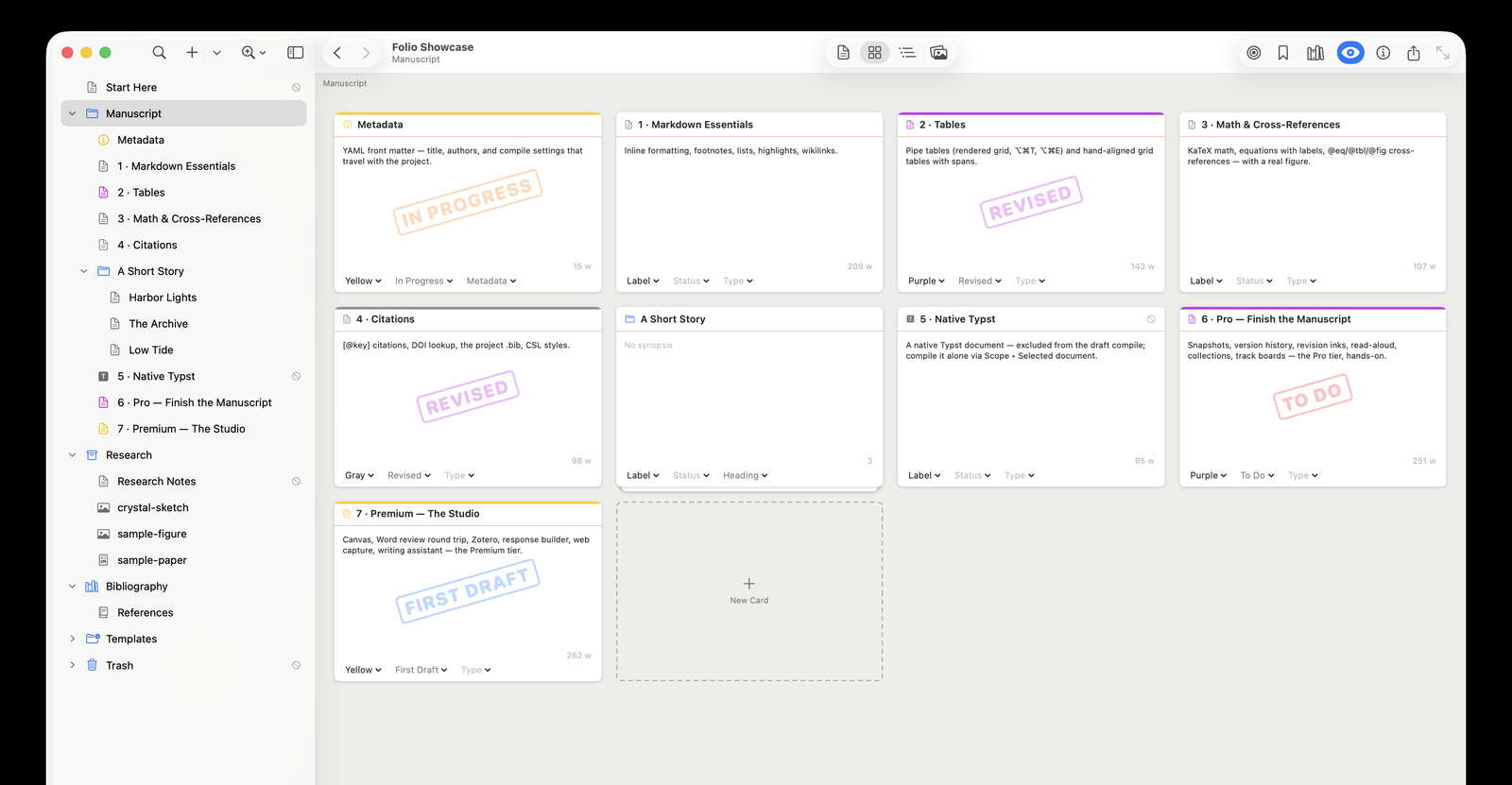
The binder: your manuscript as a list
The sidebar holds the whole project: the draft's folders and documents, plus the special folders — Research (figures, PDFs, data; never compiled), Templates (boilerplate to stamp out via New From Template), Bibliography (.bib files), and Trash. Drag to reorder or re-nest (a guide line shows exactly where the drop lands), ⌘N for a new document, and right-click for the metadata that matters: exclude from compile, unnumbered heading, label, status.
Each item is a plain .md file on disk — the binder is structure, never a container format.
The corkboard: sections as index cards (⌘2)
Select a folder and its children become cards: title, synopsis, word count, and a rubber-stamp of the status you've set — To Do, In Progress, Revised, Final. Writing a synopsis on an empty card is planning; dragging cards is restructuring. With Pro, boards also arrange by label or status (⌘5/⌘6) — lanes that show at a glance which sections still say To Do.
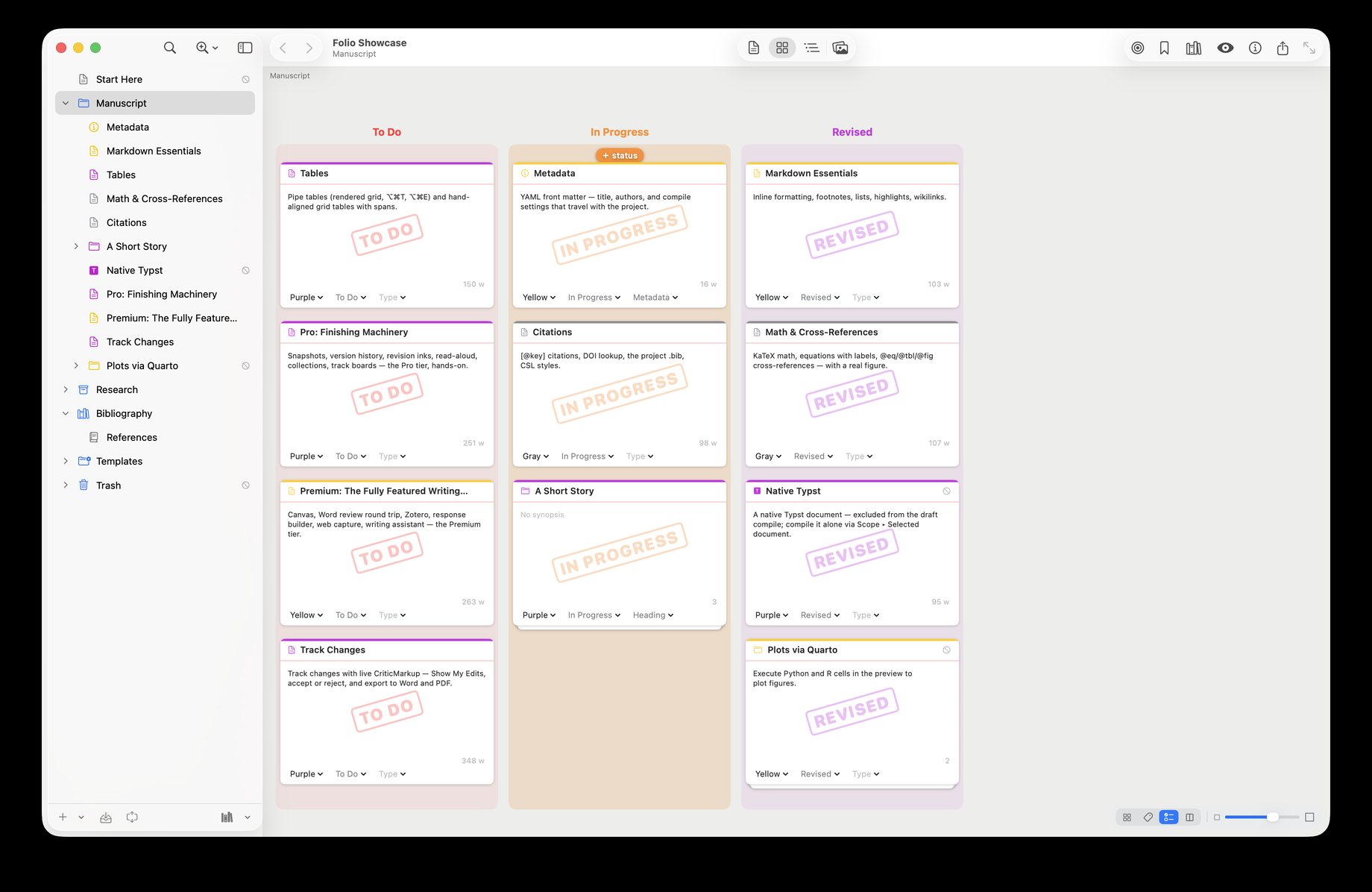
The lanes aren't just a report — they're the control. Drag a card onto a column (or onto any card already in it) and it takes that column's status or label; the target lane highlights with a “+” cue as you hover, and the “No Status” lane clears the value. Advancing a section from To Do to In Progress is one gesture, exactly as it would be on a kanban board — the context menu still works when you'd rather pick from a list.
The outline: the whole draft in columns (⌘3)
Every section with synopsis, label, status, section type, and a live word count — the view for auditing a draft: which chapter is bloated, which section has no status, what's left. Titles and synopses edit inline; press Return on a row to rename.
Structure becomes headings
At compile, folder and document titles can become your numbered section headings ("Insert binder titles as headings") — so the binder is the outline of the finished PDF, and reorganizing the manuscript is dragging, not find-and-paste. See the 10-minute setup for the full loop.