 Folio Writer
Cite from Zotero
in a plain-text manuscript
Your Zotero library, your journal's citation style, and a manuscript that stays plain Markdown. Three routes in, one mechanism everywhere.
1 · Get references into the project
- Straight from Zotero (Premium): browse and search your Zotero library from inside Folio Writer and add references without leaving the app.
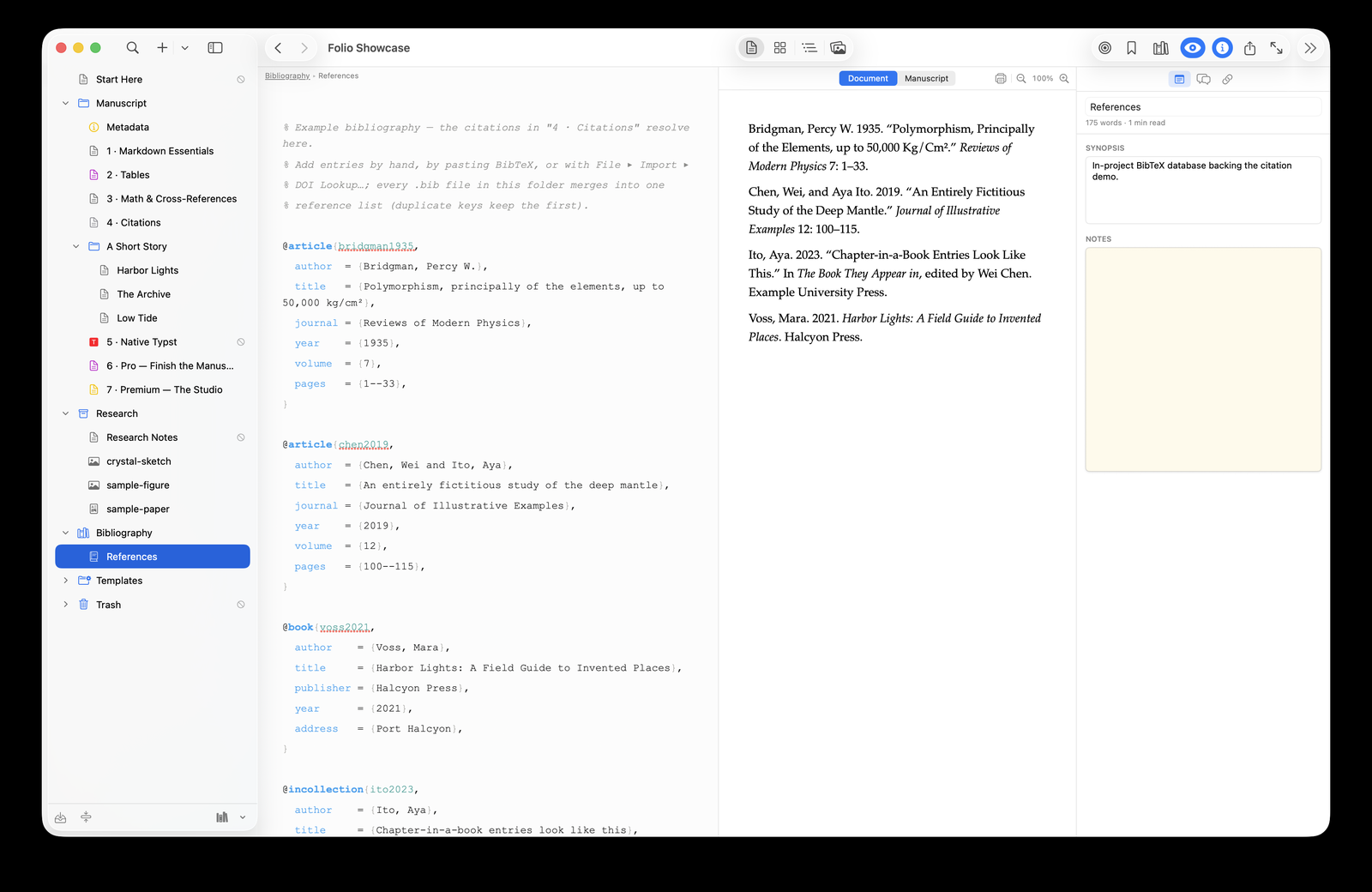
- Export a .bib (free): in Zotero, right-click a collection ▸ Export ▸ BibTeX, then attach it via the books icon at the bottom of the binder — or drop the file into the project's Bibliography folder. Several .bib files merge into one reference pool automatically, and duplicates are flagged.
- Paste BibTeX (free): copy an entry from a journal page or Google Scholar and paste it — Folio Writer files it into your .bib, cleaning up duplicate keys. DOI lookup fetches an entry from just the DOI.
2 · Cite while you write
Perovskite dominates the lower mantle [@murakami2004].
As @oganov2005 showed with metadynamics…
Type @ and autocomplete opens with author, year, and title.
Citations render inline as you write — (Murakami 2004) — and the
References panel (toolbar books icon) gives search and click-to-insert
across every attached file.
3 · Pick the journal's style
Choose from common CSL styles or any of the ~10,000 styles in the Zotero style repository — set once per project. The formatted reference list appears under a References heading in the live preview and in every compiled format: PDF, Word, LaTeX, EPUB, HTML.
[@key] syntax in plain .md files, and your references are
standard .bib — nothing about the setup is proprietary, and
pandoc --citeproc reproduces the build anywhere.Common questions
Does the reference list update when my .bib changes? Yes — the merged pool is kept in sync as files change, and an edited entry re-renders in the preview.
Multiple .bib files? Fine — everything in the Bibliography folder merges; repeated keys keep the first occurrence and are flagged as duplicates. Similar entries under different keys are flagged too.
Cross-references as well? @fig:, @tbl:,
@eq:, and @sec: labels number themselves at
compile time, alongside the citations.
Download Folio Writer free → · The 10-minute paper/thesis setup →